
aura-mcp-connect
io.github.Dinesh210805/aura-mcp-connect
Let any MCP client operate your Android phone: taps, typing, screen reading. Local, E2E encrypted.
Documentation

An AI that uses your Android phone the way you do.
It reads the screen, taps, types and scrolls in your real apps. Ask it on the phone, or let
Claude Code, Cursor and any MCP client on your computer drive it.
No root. No cable. No AURA server in the middle.



Download the APK · Website · Quick start · How it works · Roadmap · Get involved
See it work

Over MCP: Claude on a laptop shares an Instagram post to a story, on a real phone, through AURA.
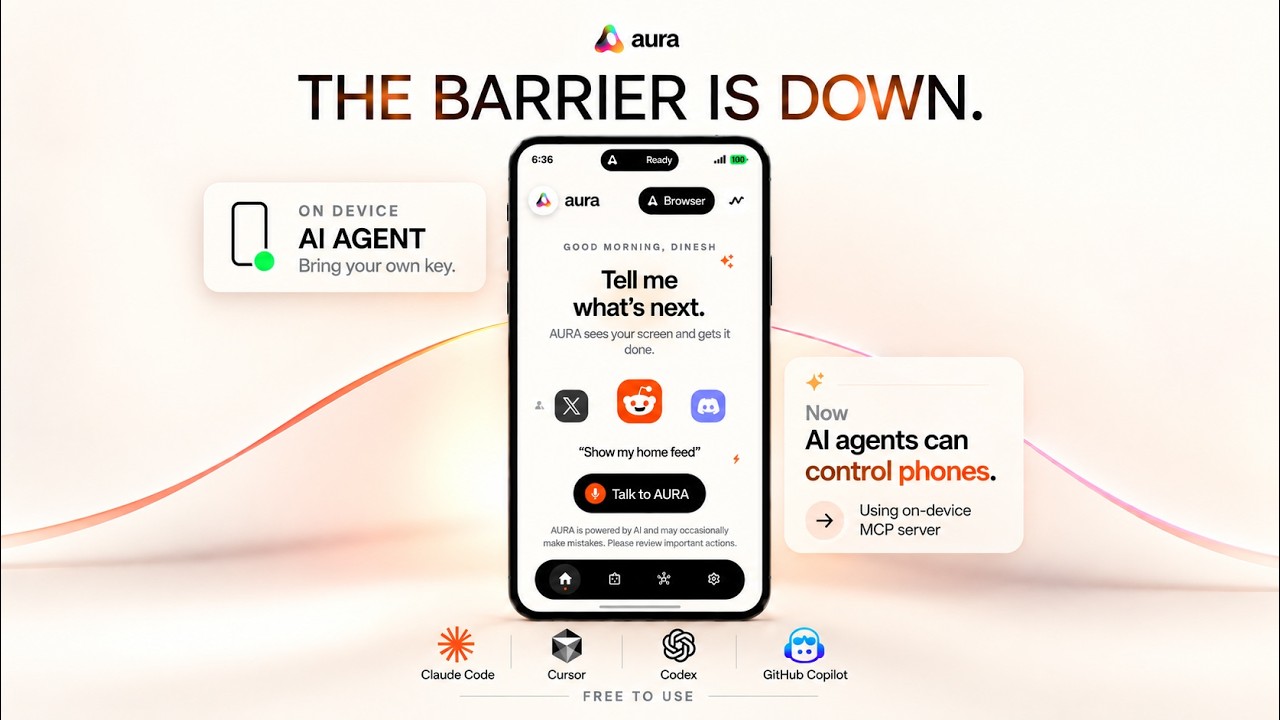
▶ The launch film (4:25, with sound): The Barrier Is Down: AI agents can now control your phone.
 By voice “Book a Rapido to Rock Beach, Puducherry.” |
 Search, then Maps “Find a highly rated café near Rock Beach, check it’s open today, and get directions.” |
 Two tabs “Compare the MX Master 3S on Amazon and Flipkart. Don’t buy.” |
 In-app browser “Open Swiggy and search for coffee. Don’t order.” |
Clips are sped up. Click one for the full recording.
A quick note before you dive in
Hi, I'm Dinesh. AURA is a solo project: I design, build and test it on my own. It does real work on real apps, as the clips above show, but it isn't perfect. Some apps fight back, some screens confuse it, and there are bugs I haven't met yet. I've listed the ones I know about below.
I'm opening it up because I think more people should be able to give an AI a real phone, without being locked into one company's assistant or one model. If that interests you, I'd really like to hear from you. See Come build it with me.
What it is
🗣️ An assistant on your phone. Open AURA and chat, say "Hey AURA", or press both volume keys. Ask for something ("message Mum that I'm running late", "turn on dark mode in Instagram") and the agent does it in your real apps, step by step, while you watch. You can stop it at any point. It can also search the web, read files you share, remember what you allow, and use connected apps like Gmail and Calendar.
🔌 An MCP server inside the phone. The same 50+ tools are exposed over the Model Context Protocol, so an AI agent on your computer can see and operate a real phone: test your own apps, automate chores, or give a coding agent hands.
🧠 You pick the brain. Gemini, Anthropic (Claude), OpenAI, Groq, OpenRouter, Mistral, DeepSeek, xAI (Grok), Qwen, Moonshot (Kimi), Z.ai (GLM), Cerebras, Together AI, or any OpenAI-compatible endpoint, with your own API key. Switch whenever you like.
How it works

- You ask, by voice or text. There are two ways to talk:
- Voice commands ("Hey AURA"): speech goes to Groq Whisper with your key and comes back as text.
- Conversation mode: a real-time back-and-forth with Gemini Live, using your Gemini key. When you
ask it to do something, it hands the task to the agent through one tool,
ask_aura.
- The agent runs on the phone. It sends your goal and what's on screen to the LLM you picked, and gets back the next tool to call.
- Every tool call goes through one MCP server and one safety gate, whether it comes from the agent on the phone or from an MCP client on your computer. Blocked things stay blocked either way.
- The accessibility service does the actual work: it reads the screen (with an on-device vision model for what the accessibility tree misses) and taps, types and scrolls.
- Your computer is optional.
aura-mcp-connectruns a small local daemon that MCP clients talk to, and it reaches the phone over an encrypted WebRTC link on your local network only.
The same diagram is on the website at /architecture.
Highlights
| 👁️ Sees the screen properly | Every look combines the accessibility tree (exact and fast) with an on-device vision model (YOLOv8 + OCR) that finds what the tree misses: WebViews, games, maps, custom views. The agent picks numbered elements, never guessed coordinates. |
| ✅ Acts, then checks | Look, act, verify. A guard refuses to act without looking first, catches loops, and won't let the agent say "done" before checking. |
| ⚡ Takes shortcuts | Deep links jump straight to an app's screen, system intents handle calls, SMS, alarms and navigation, and a built-in browser works on the page, not on pixels. |
| 🎙️ Voice | Offline wake word ("Hey AURA", via sherpa-onnx), a volume-key shortcut, the Android assistant gesture, speech-to-text, spoken replies, and a Gemini Live conversation mode. |
| 🧠 Remembers how apps work | Encrypted per-app learnings, reusable skills, runs that survive the app being killed, and an ask_user tool so the agent asks instead of guessing. |
| 🔐 Your computer, paired once | Pair with a PIN; after that every MCP client on the computer shares one encrypted connection to the phone. |
Quick start
1. Get the app on your phone
Download the latest APK and install it, or build it from source. You need Android 8.0 or newer.
The first-run setup walks you through signing in, the permissions AURA needs (accessibility, display over other apps, microphone, notifications, keyboard) and choosing an AI provider and key.
2. Use it on the phone
| To... | Do this |
|---|---|
| Chat with it | Open AURA: the chat is the home screen |
| Talk to it | Say "Hey AURA" (turn on the wake word in Settings) |
| Open it anywhere | Press both volume keys together, or use the assistant gesture after picking AURA as your digital assistant app |
| Stop a task | Say "stop" (then "continue" or "drop it"), or tap the pause pill |
3. Connect your computer (optional)
Your computer and phone must be on the same network: the same Wi-Fi, or your computer on the phone's hotspot. Nothing is reachable from the internet.
npm install -g aura-mcp-connect        # Node.js 18+
aura-mcp pair 123456                   # the PIN from AURA → MCP
Both screens show a 6-digit code. Approve on the phone only if they match. Then add AURA to your client:
claude mcp add aura -- aura-mcp # Claude Code (Windows: -- cmd /c aura-mcp)
{ "mcpServers": { "aura": { "command": "aura-mcp", "args": [] } } }
Away from home? Put both devices on Tailscale and pair with
aura-mcp pair 123456 --host=<the phone's 100.x address>. Everything else about the bridge
(per-client setup, the optional aura-adb tool, troubleshooting) is in
aura-mcp-connect/README.md.
What the agent can do
All tools, by group
| Group | Tools |
|---|---|
| See | perceive_screen · read_screen · get_screenshot · watch_device_events · get_device_status |
| Touch | tap (single, double, long) · swipe · scroll · type_text · press_enter · set_value · clipboard |
| Move around | press_key (back, home, recents) · launch_app · lookup_app |
| Shortcuts | list_app_deeplinks · resolve_deeplink · open_deeplink · system_intent (call, SMS, alarm, timer, calendar, share, navigate) |
| Browser | browser_open · browser_read · browser_act · browser_extract · browser_find · browser_wait · browser_tabs · browser_upload · browser_handoff · browser_screenshot · browser_close |
| Notifications & media | read_notifications · notification_action · dismiss_notification · get_media_sessions · media_control · volume |
| Contacts & files | resolve_contact · find_files · open_file |
| Check & finish | verify_action · wait_for · end_session |
| Help | web_search |
The server also teaches clients how to use it: MCP instructions at connect time, resources (its own safety policy, a tool-selection guide, live device status) and prompts (task templates, plus any skills you add on the phone).
Privacy and safety
- No AURA server sees your content. Screen content and requests go only to the AI provider you picked, with your key. Voice-to-text uses Groq Whisper with your Groq key, and Gemini Live mode streams audio to Google with your Gemini key. The wake word, the vision model and the safety checks run on the phone.
- Your computer connects over your local network only. No relay server, no STUN or TURN. A new computer needs the PIN shown on the phone, then your approval after comparing codes. After that it proves itself with a secret it never sends again.
- Some things are always off-limits. Banking, payment and authenticator apps can't be opened, and card numbers, PINs and passwords can't be typed. You can add your own restricted apps. Destructive actions ask first, and every tool call is logged on the phone.
- Diagnostics are on by default, and one switch in Settings turns them off. Crash reports, usage counts and an install record tied to your Google sign-in, never content. The full list is in the in-app privacy policy.
Known rough edges
Being honest about what doesn't work yet:
- A few apps ignore taps from an accessibility service. When an app does, the built-in browser or a deep link is usually the way around it.
- Google Pay and some banking apps refuse to run while any accessibility service is on. That's their rule, not AURA's, and AURA stays out of banking apps anyway.
- Google sign-in doesn't work inside AURA's browser. Google blocks sign-in in every embedded browser.
- Your own builds still lean on Firebase for sign-in, crash reports and remote config. Debug builds let you skip sign-in, and a build without Firebase is on the list.
- I test on the phones I have. Yours may well find new bugs. Please tell me when it does.
Roadmap
What I'm working on, and what comes next. Each item has a spec in docs/specs/
with the details. Want to pick one up? See CONTRIBUTING.md.
Now
- Long tasks that finish fast: fewer model calls, no loops, on multi-step and cross-app tasks
- Safety questions that always reach you, and a simpler safety layer behind them
- Connected apps that stay on after you reopen AURA
- A cursor that moves like a hand, and a status pill that says what AURA is doing
- Onboarding in the app's own look, and a
/command menu in the chat
Next
- A more reliable agent: carries on after the app is killed, answers "how's it going" by voice mid-task, and keeps the run log out of cloud backups
- Let a coding agent on your computer test AURA's agent on a real phone over USB
- Benchmark numbers for the new agent on AndroidWorld
- A build that works without Firebase
- Contributor guides: architecture, adding an MCP tool, adding an AI provider
Done recently (full list in the changelog)
- A new chat agent with memory, skills, web search and connected apps (1.0.712)
- One-tap in-app updates (1.0.712)
- See and stop AI apps that drive your phone over MCP (1.0.582)
- Choose what each paired computer may do (1.0.573)
Downloads and deployments
| What | Where | Latest |
|---|---|---|
| Android app (signed APK) | GitHub Releases |  |
Desktop bridge (aura-mcp-connect) | npm |  |
| Website | aura-android-use.vercel.app, deployed by Vercel from aura-android-use-website/ on every push to main |  |
What changed in each version is in CHANGELOG.md. Versions up to 1.0.534 are in the
older aura-releases repository.
Build from source
You need JDK 17, the Android SDK (API 36), and for the bridge, Node.js 18+.
Local settings. Copy aura-android/local.properties.example to local.properties and set
your SDK path (Android Studio does this for you). Release signing keys go there too. There is no
.env file: AI provider keys are entered in the app, under Settings → Agent Brain.
Firebase. The app uses Firebase for sign-in, crash reports, analytics and remote config.
- Just trying it? Copy
aura-android/app/google-services.example.jsontogoogle-services.jsonin the same folder. A debug build compiles with it and lets you skip sign-in during setup. Anything that needs Firebase won't work. - Want everything? Create a Firebase project, add Android apps with the package names
com.aura.aura_ui.featureandcom.aura.aura_ui.feature.debug, enable Authentication (Google and Anonymous), Firestore, Remote Config, Crashlytics and Analytics, and download itsgoogle-services.jsontoaura-android/app/.
cd aura-android
./gradlew :app:assembleDebug          # gradlew.bat on Windows
./gradlew :app:testDebugUnitTest :mcp-server:test

cd ../aura-mcp-connect
npm install && npm test
The first build downloads the wake-word engine (sherpa-onnx, ~28 MB) once.
Project layout
aura-android/
├── app/          The Android app: UI, the on-device agent, voice, accessibility and gestures
│   └── src/main/java/com/aura/aura_ui/
│       ├── agentcore/      the chat agent: chat, tools, memory, skills, connectors (has a README)
│       ├── agent/          the older agent and LLM providers; the fallback when the new agent is off
│       ├── accessibility/  reading the screen and performing gestures
│       ├── overlay/        the assistant overlay
│       ├── voice/          wake word and listening modes
│       ├── presentation/   screens (has a README)
│       └── remote/         kill switch, version gate, sign-in, diagnostics (has a README)
└── mcp-server/   The MCP server the app hosts: tools, safety policy, LAN pairing (pure Kotlin)
aura-mcp-connect/          Desktop bridge (Node.js, MIT) that connects MCP clients to the phone
aura-android-use-website/  The website (static, deployed by Vercel)
models/                    Config and licence of the on-device icon detector (the model ships in the app's assets)
benchmark/                 The AndroidWorld benchmark harness (has a README)
scripts/                   Evaluation and benchmarking tools
docs/specs/                One spec per piece of work: what we're building and how we check it
Come build it with me
AURA has one maintainer, so every good bug report, idea and pull request makes a real difference. If you work on agents, Android internals, MCP or on-device ML, or you just like breaking things, you're exactly who I'd love to hear from.
- Chat: come say hi on Discord.
- Found a bug? Open an issue. A screen recording and your phone model help more than anything.
- Want to fix something? Pull requests are welcome. CONTRIBUTING.md has the setup, the tests to run and how pull requests work, and the roadmap lists what's open. On your first PR, a bot asks you to sign the CLA once.
- Security problem? See SECURITY.md. Please don't open a public issue.
- Be kind. Everyone here follows the Code of Conduct.
- Anything else: dinesh210805@gmail.com.
License
Copyright (C) 2026 Dinesh Kumar C. AURA is free software under the GNU Affero General Public
License v3.0 or later. See LICENSE.
- Use it, change it, share it, even sell it. Anything you distribute or run as a service that's built on AURA must publish its full source under the same licence.
- The Android app links a few closed Google libraries. An extra permission in
LICENSE-EXCEPTION.mdmakes that legal to distribute. - Want to ship it closed-source? That needs a commercial licence. See
COMMERCIAL-LICENSE.md. - Bundled models and libraries keep their own licences. See
THIRD_PARTY_NOTICES.md. aura-mcp-connect/is separately licensed under MIT.
Built with
Koog (agent framework) · MCP Kotlin SDK · Stream WebRTC Android · sherpa-onnx (wake word) · ONNX Runtime with an OmniParser icon detector · ML Kit text recognition · Silero VAD. Diagram icons from Lucide (ISC).
Built by one person. If AURA is useful to you, a ⭐ helps other people find it.
aura-mcp-connectnpm install aura-mcp-connect